How to Write Meeting Notes People Follow Up On
Most meeting notes are written and never read again. Here is a simple template and a few follow-up habits that turn notes into work that actually gets done.
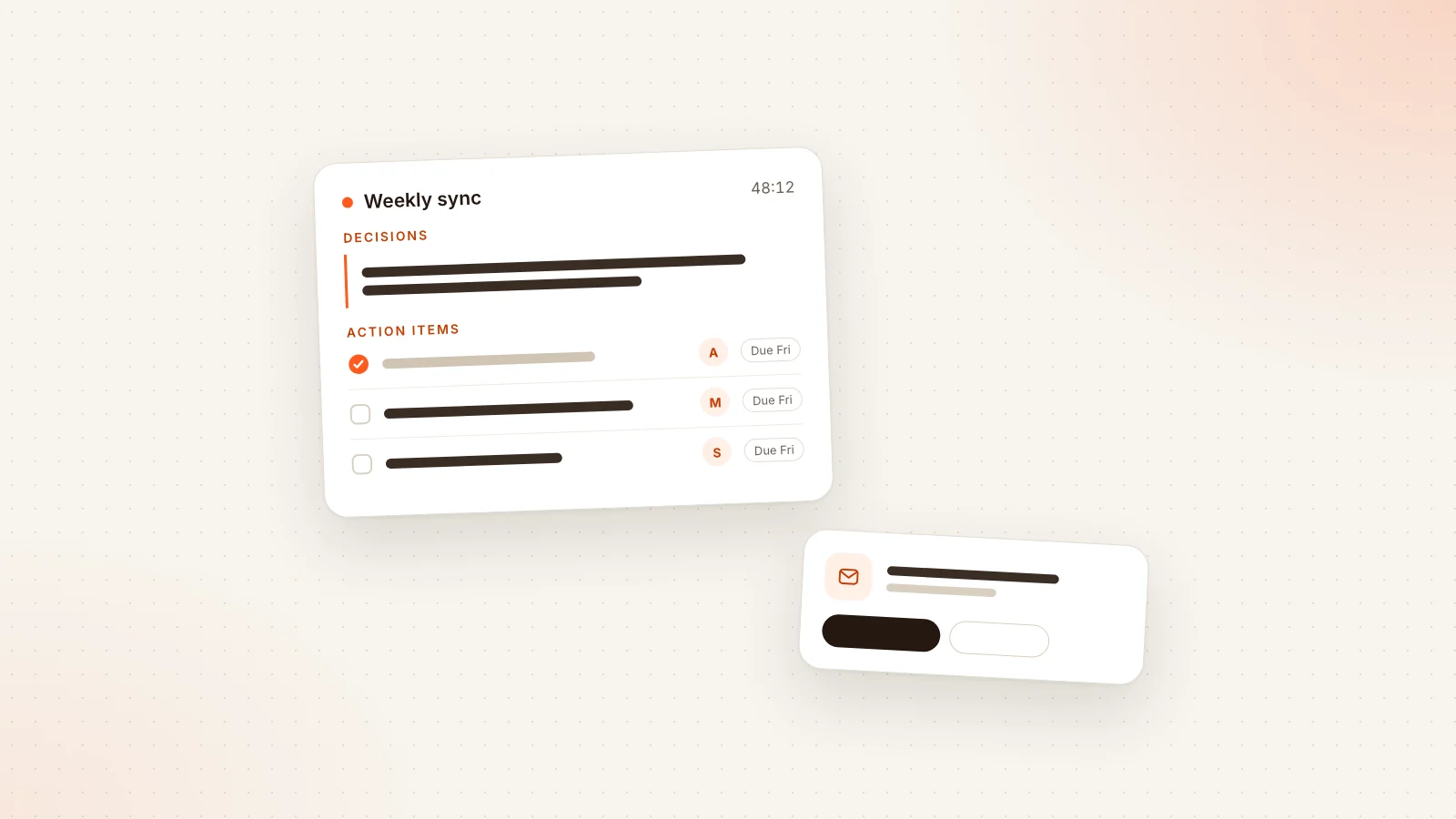
Most teams do not have a meeting problem. They have a follow-up problem. The call itself goes fine: people share updates, argue a little, agree on something. Then everyone closes the tab, opens their inbox, and by Thursday nobody can say for certain who promised to send the revised proposal, or whether the launch date moved. The notes exist somewhere, but they read like a diary of the conversation rather than a list of commitments.
This guide is about fixing that gap. It covers what good meeting notes actually contain, how to write action items that people can act on without asking follow-up questions, how to separate decisions from discussion, how fast the recap should go out, and the small rituals that keep commitments from quietly expiring. There is a copy-paste template in the middle. None of it requires special software, although we will point out where an assistant can save you the typing.
Why most meeting notes fail
Before the template, it helps to be honest about why notes go unread. In our experience the causes are almost always the same few:
- They are transcripts, not notes. A page that records who said what in order is useful for an archive, but nobody skims it to find out what they need to do next.
- Action items are buried. The one line that matters ("Priya will check the contract terms") sits in paragraph six, between two sentences about something else.
- Nobody owns anything. Items are written as "we should look into pricing" or "follow up with legal". A task that belongs to the whole room belongs to nobody.
- Dates are vague. "Soon", "next week" and "ASAP" are not due dates. They are hopes.
- The recap arrives late. Notes sent two days later compete with two days of newer priorities, and people have already formed their own (different) memories of what was agreed.
- Nothing checks back. Even a perfect list fails if no one looks at it again until the next meeting, when half the items are silently stale.
Every section below targets one of these failure modes. If you only fix one, fix ownership. If you fix two, add real due dates.
A task that belongs to the whole room belongs to nobody.
What good meeting notes actually contain
Good notes are short and structured. They answer four questions, in this order, because this is the order readers care about:
- What did we decide? Decisions are the most valuable output of most meetings, and the easiest to lose.
- Who is doing what, by when? The action items, each with a single owner and a date.
- What is still open? Questions that were raised but not answered, and who is going to find the answer.
- What context does someone need? A few lines of discussion summary for people who were absent or who will read this in three months.
Notice what is missing: a blow-by-blow account of the conversation. If you need that, keep a full transcript separately and link to it. The notes themselves should fit on one screen for a typical one-hour meeting.
Notes, minutes and recaps: what is the difference?
People use these words loosely, so it is worth being precise:
| Term | Typical use | Level of detail |
|---|---|---|
| Meeting minutes | Formal meetings (boards, committees, associations) that need an official record | Attendees, motions, votes, decisions, often approved at the next meeting |
| Meeting notes | Everyday team meetings, project syncs, client calls | Decisions, action items, open questions, brief context |
| Meeting recap | The message sent to attendees after the call | A shortened version of the notes, focused on what happens next |
For most working teams, you want notes that double as the recap. Write them once, in a shape you can send directly.
A meeting notes template you can copy
Here is the template we recommend. Paste it into your notes tool before the meeting starts, and fill it in as you go. Keep the headings even when a section is empty, since "No decisions made" is itself useful information.
- Meeting: name and date
- Attendees: who was there (and who was expected but absent)
- Purpose: one sentence on why this meeting happened
- Decisions:
- Decision 1, stated as a complete sentence
- Decision 2
- Action items:
- [Owner] will [verb + deliverable] by [date]
- [Owner] will [verb + deliverable] by [date]
- Open questions:
- Question, and who will find the answer
- Key discussion points: three to five short bullets of context
- Next meeting: date, or "none scheduled"
- Links: documents, recording or transcript referenced during the call
If your team prefers tables, the action items section works well as one:
| Owner | Action | Due date | Status |
|---|---|---|---|
| Priya | Send revised contract terms to the client | Tue 15 Sep | Open |
| Marco | Draft the onboarding email sequence | Fri 18 Sep | Open |
| Dana | Confirm budget ceiling with finance | Mon 14 Sep | Open |
Write the decisions and action items sections first, even if you fill in the discussion summary afterwards. If the meeting runs out of time, the part that matters is already captured.
How to write action items people can act on
An action item is a small contract. It should be possible for the owner to read it a week later, out of context, and know exactly what they agreed to do. Three ingredients make that possible.
One owner, named
Every action item gets exactly one person's name. Not a team, not "we", not two people joined by "and". If a task genuinely needs two people, pick the one who is responsible for making sure it happens, and let them pull in the other. Shared ownership feels collaborative in the room and turns into polite waiting afterwards.
When the owner is not in the meeting, say so explicitly and assign someone present to hand it over. "Dana will ask Sam to review the draft by Wednesday" is an action item. "Sam to review the draft" is a wish.
A verb and a visible result
Start with a concrete verb: send, draft, confirm, book, decide, publish, review, call. Avoid verbs that describe states of mind rather than work, like "look into", "think about", "explore" or "align on". If the honest version really is "look into pricing", make the output visible: "Marco will compare three pricing options and share a one-page summary".
A good test: could someone else check whether this item is done? "Improve onboarding" fails. "Send the new onboarding checklist to the support team" passes.
A real due date
Use a calendar date, not a relative phrase. "Friday" is fine if everybody knows which Friday; "Friday 18 September" is better. Ask the owner to name the date themselves, in the meeting, rather than assigning one. People keep commitments they made out loud far more reliably than ones that were handed to them.
If nobody can commit to a date yet, the action item is probably not ready. Convert it into an open question with an owner who will come back with a date.
Here is how common weak items look after rewriting:
| Weak | Strong |
|---|---|
| Follow up with legal | Priya will email legal the two contract questions by Tue 15 Sep |
| Look into the churn numbers | Marco will pull churn by plan for Q3 and share it in the channel by Thu 17 Sep |
| We need a new landing page | Dana will brief the designer on the landing page by Mon 14 Sep |
| Think about hiring | Alex will decide whether to open the support role by Fri 25 Sep |
Separate decisions from discussion
The second most common source of confusion after unclear action items is not knowing what was actually decided. A long conversation about launch dates can leave half the room thinking the date moved and the other half thinking it was only discussed.
Make decisions explicit in two places. First, in the meeting itself: when the group lands on something, the note taker (or the facilitator) says it back out loud. "So we are decided: launch stays on the 30th, and the pricing page ships a week later. Anyone disagree?" This takes ten seconds and prevents a surprising number of arguments later.
Second, in the notes: write each decision as a full sentence under its own heading, separate from the discussion bullets. "Launch stays on 30 September" is a decision. "Talked about launch timing and risks with the pricing page" is discussion. Readers should be able to find every decision without reading anything else.
It also helps to record decisions that were deliberately not made. "We did not decide on the pricing tier yet; Alex will bring two options next week" stops people from assuming the question is closed.
If your team revisits the same decisions often, keep a running decision log: one shared document where each decision gets a date, a one-line summary and a link back to the meeting notes. It becomes the fastest way to answer "wait, when did we agree to that?"
Send the recap fast
The value of a recap drops quickly with time. Within the first hour, everyone still remembers the conversation and can correct a mistake with a one-line reply. By the next day, people have filled gaps with their own assumptions, and a correction feels like a new argument.
Aim to send the recap the same day, ideally within an hour of the meeting ending. A few habits make that realistic:
- Fill the template during the meeting, not after. Five minutes of cleanup is sustainable; forty-five minutes of reconstruction from memory is not.
- Reserve the last five minutes of the meeting to read back decisions and action items. This is the single most effective habit on this list, and it makes the recap almost write itself.
- Send it to everyone who attended and everyone who owns an item, even if they were absent.
- Put action items at the top of the message, above any discussion summary. Most people will read only the first screen.
- Use a predictable subject line, such as "Recap: Client onboarding sync, 11 Sep", so recaps are easy to search for later.
A recap email can be short. Something like this works for most meetings:
- Subject: Recap: [meeting name], [date]
- One line: thanks, and the purpose of the meeting
- Decisions (bullets)
- Action items with owner and date (bullets or a table)
- Open questions
- Link to the full notes or transcript
- One line: reply by end of day if anything is wrong
Where an assistant helps
This is the part of the process that assistants handle well, because it is mostly transcription and formatting. With a tool like Libranotes, a notetaker bot joins your Google Meet, Zoom or Microsoft Teams call from your calendar, produces a transcript with speaker labels, and drafts the summary, decisions and action items when the call ends. You still review it (an assistant can misattribute an item or miss sarcasm), but reviewing a draft takes minutes, and the recap can go out by email or as a shareable link right away. If you want a broader overview of how these tools work and what to look for, our guide to AI meeting assistants covers it.
For meetings that happen around a table rather than on a call, the same workflow is possible by recording through your laptop or phone microphone, or by uploading an audio file afterwards. We wrote a separate piece on recording in-person meetings with practical advice on consent and microphone placement.
Follow-up rituals that keep commitments alive
A well-written action item still needs someone to look at it again. The good news is that follow-up does not require a project manager chasing people. It requires a few lightweight rituals that make the status of each item visible.
Start the next meeting with the last one's action items
Open every recurring meeting by reviewing the previous meeting's action items, in order, before any new topics. Each owner says one of three things: done, in progress with a new date, or dropped with a reason. This takes two or three minutes and creates gentle accountability without anyone having to play the bad guy.
Send items directly to their owners
A recap sent to a group is easy to skim past, especially if your name appears once near the bottom. Sending each owner their own items, in their own inbox, makes the commitment personal. Libranotes does this automatically: action items are emailed to their owners, who can accept or mark them complete from a link without needing an account. That last part matters when owners are clients, contractors or colleagues in other departments who will never sign up for your tools.
Remind people about overdue items, and only those
Blanket reminders turn into noise quickly. Reminders are useful when they are specific: this item, with this due date, is now late. This is another reason to insist on real dates, since a reminder system can only nudge people about deadlines that actually exist. In Libranotes, daily reminders go out only for overdue action items that have a real due date, which keeps them rare enough to be taken seriously.
Close the loop visibly
When an item is done, say so where the team will see it: a quick reply to the recap thread, a message in the project channel, or a status update in your tracker. Visible completion builds trust in the system. When people see that items actually get closed, they start writing better ones.
The goal is not perfect notes. It is a shared, trustworthy answer to the question "what did we agree to do?"
Common mistakes and how to avoid them
Even teams with good habits drift into a few predictable traps.
- Writing notes only for yourself. Personal shorthand like "P re: terms, T" is fine in your notebook but useless in a recap. Write for the colleague who missed the meeting.
- Assigning items to absent people without telling them. Always name who will pass the item on, or the absent owner will learn about it from a reminder, which is a bad start.
- Too many action items. If a thirty-minute meeting produces fifteen action items, several of them are probably wishes. Ask which ones truly need to happen before the next meeting.
- Mixing decisions into discussion bullets. Readers should not have to infer what was decided. Give decisions their own section.
- Not recording the "why". A decision without a one-line reason gets reopened the moment someone new joins. "We chose vendor B because of the support hours" is enough.
- Losing notes across tools. Notes in one app, recordings in another, specs in Google Drive: six weeks later, nobody can find anything. Pick one home for meeting notes and link out from there. Some assistants help here too; in Libranotes, for example, the Ask feature answers questions across your meetings, notes and connected Google Drive documents, with citations pointing back to the source, so "what did we decide about the refund policy?" does not require remembering which meeting it came up in.
- Treating the notes as final. Invite corrections. A recap that says "reply by end of day if anything here is wrong" gets fixed early instead of disputed late.
A note on privacy and consent
If you record or transcribe meetings, tell participants, and follow the rules that apply to your location and your organisation. Choose tools that are clear about what happens to your data. For reference, Libranotes deletes the audio after the transcript is produced and does not use customer data to train models, and you can tell the bot to skip a sensitive meeting or an entire recurring series. Whatever you use, check these points before you rely on it.
Putting it together
Good meeting notes are not about writing more. They are about writing the right few things in a shape that survives the end of the meeting: decisions stated as sentences, action items with one owner, a concrete verb and a real date, open questions with someone responsible for answering them, and a recap that goes out while memories are still fresh.
Then comes the part that most teams skip: looking at the list again. Start recurring meetings with the previous action items, send owners their own tasks, remind only about what is actually overdue, and close items where everyone can see.
You can do all of this with a shared document and some discipline. If you would rather spend the meeting listening than typing, an assistant can take over the transcript, the draft summary and the reminders, and you can see what that costs on our pricing page. Either way, the template above is a good place to start with your very next meeting.
Frequently asked questions
What should meeting notes include?
At minimum: the meeting name and date, attendees, decisions made, action items with a single owner and a due date, open questions, and a short summary of the key discussion points. Put decisions and action items first, because that is what most readers are looking for.
How do you write a good action item?
Give it one named owner, start it with a concrete verb that describes a visible result, and attach a real calendar date that the owner agreed to. For example: Priya will send the revised contract terms to the client by Tuesday 15 September.
How soon should I send a meeting recap?
The same day, ideally within an hour of the meeting ending. Early recaps are easy to correct while everyone still remembers the conversation; late recaps compete with newer priorities and invite disagreement.
What is the difference between meeting minutes and meeting notes?
Minutes are a formal record, common in board or committee meetings, and often include motions, votes and approval at the next meeting. Meeting notes are lighter and focus on decisions, action items and open questions for everyday team work.
Can an AI assistant write my meeting notes?
It can draft them. An assistant such as Libranotes can join your call, produce a transcript with speaker labels and draft the summary, decisions and action items. You should still review the draft before sending, since automated notes can misattribute an item or miss context.